Subscriptions and recurring charges
Balansi scans your transactions and finds subscriptions and recurring charges on its own — so you always know exactly how much you're paying each month, and catch price hikes or duplicate charges early.
- 1
Open Subscriptions and recurring charges
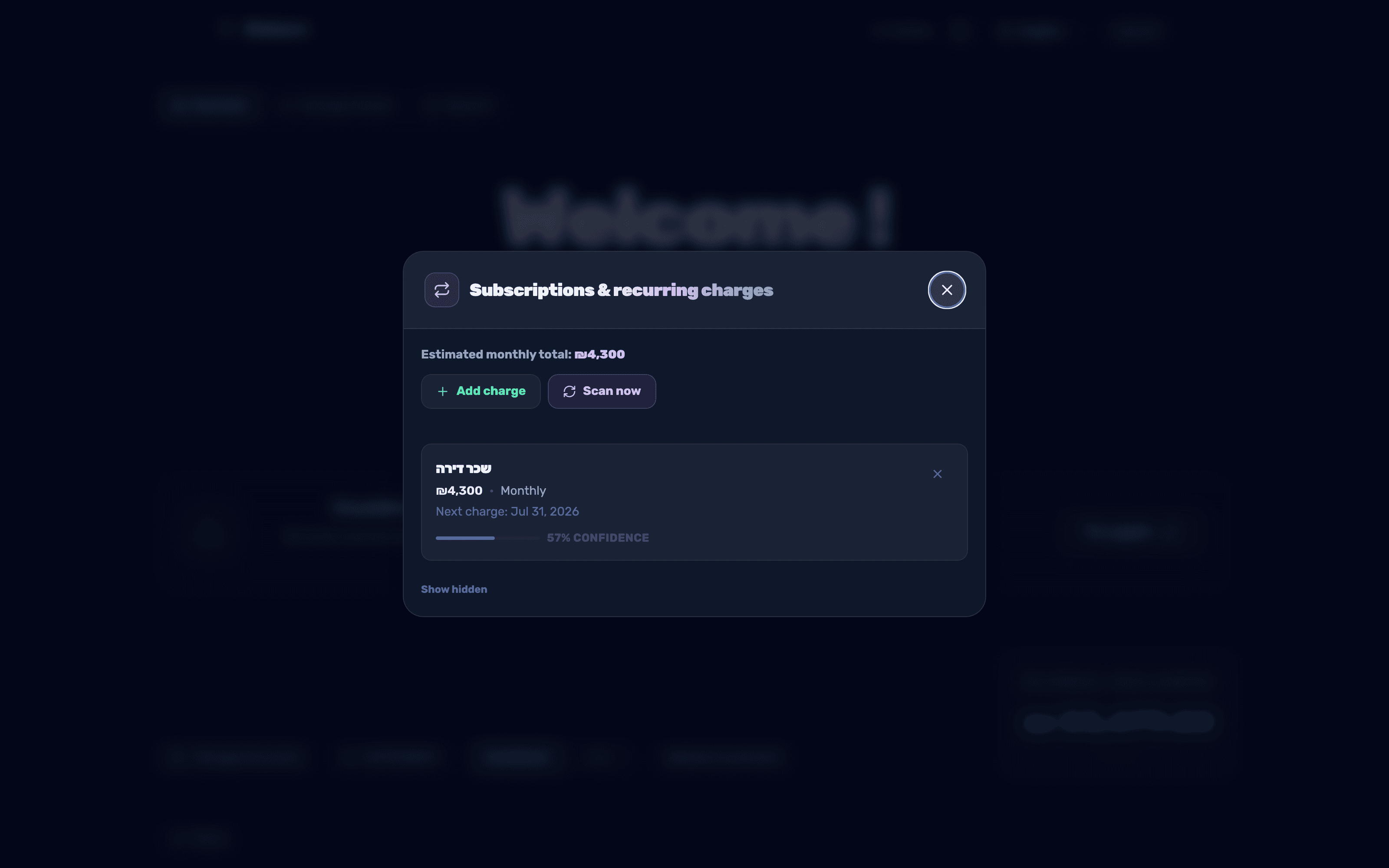
Next to the Recent transactions heading there is an icon button with looping arrows (a repeat symbol) — hovering over it shows the tooltip Subscriptions and recurring charges. Clicking it opens a panel listing every recurring charge that was auto-detected as well as ones you added yourself.
- 2
Run an automatic scan
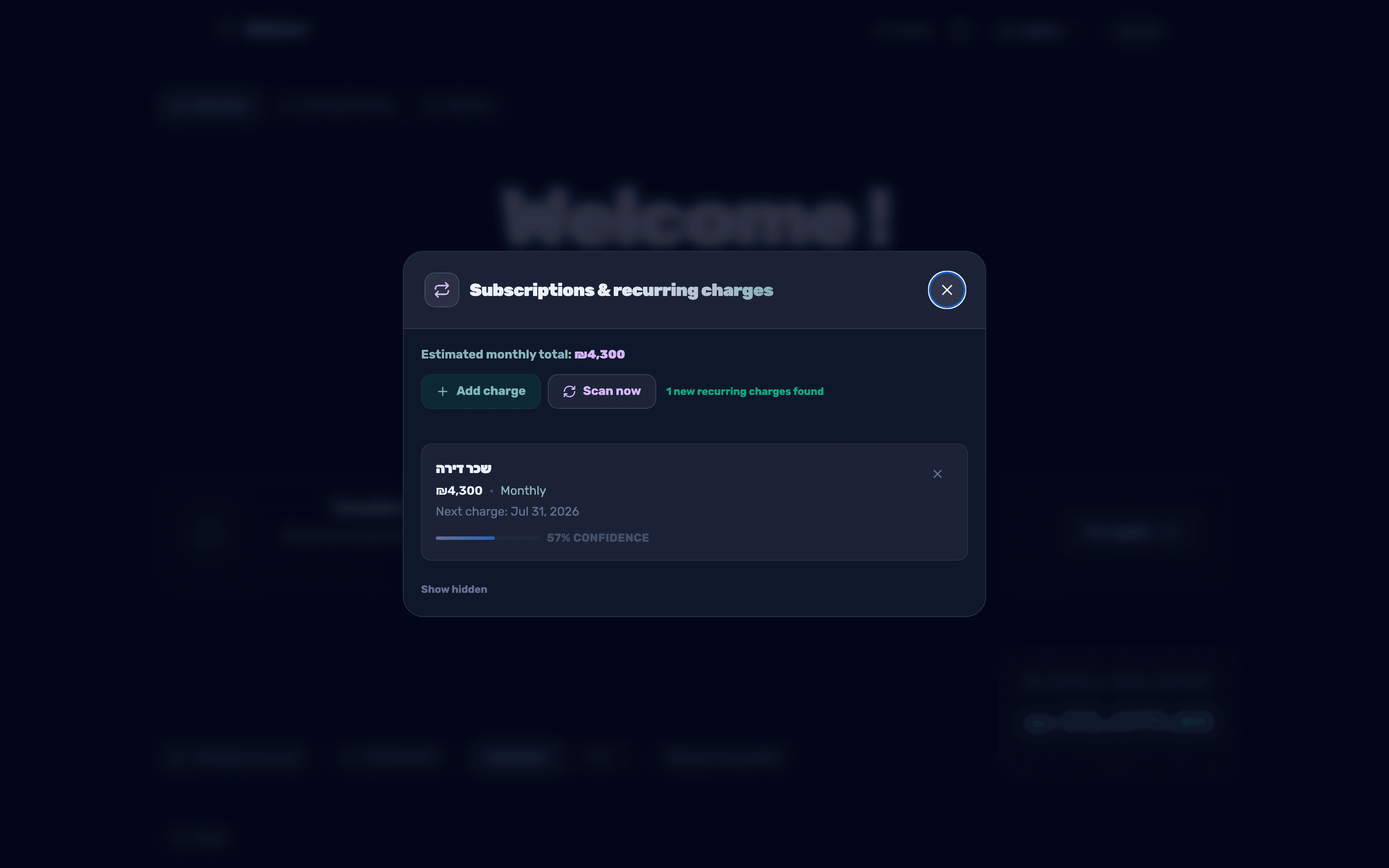
Tap Scan now to have Balansi look through your transactions for charges from the same merchant that repeat at a regular interval. A standing order is detected after just 2 charges; a regular recurring charge needs at least 3 charges at the same interval (roughly 2-3 months of transactions).
- 3
Review what was found
Each detected subscription shows its frequency (monthly, yearly, etc.), the next charge date and a confidence percentage. Watch for the tags Price increased by X% and Maybe worth checking cancellation or Possible duplicate, and tap Hide on anything misdetected — you can bring it back later via Show hidden.

- 4
Add a fixed recurring charge manually
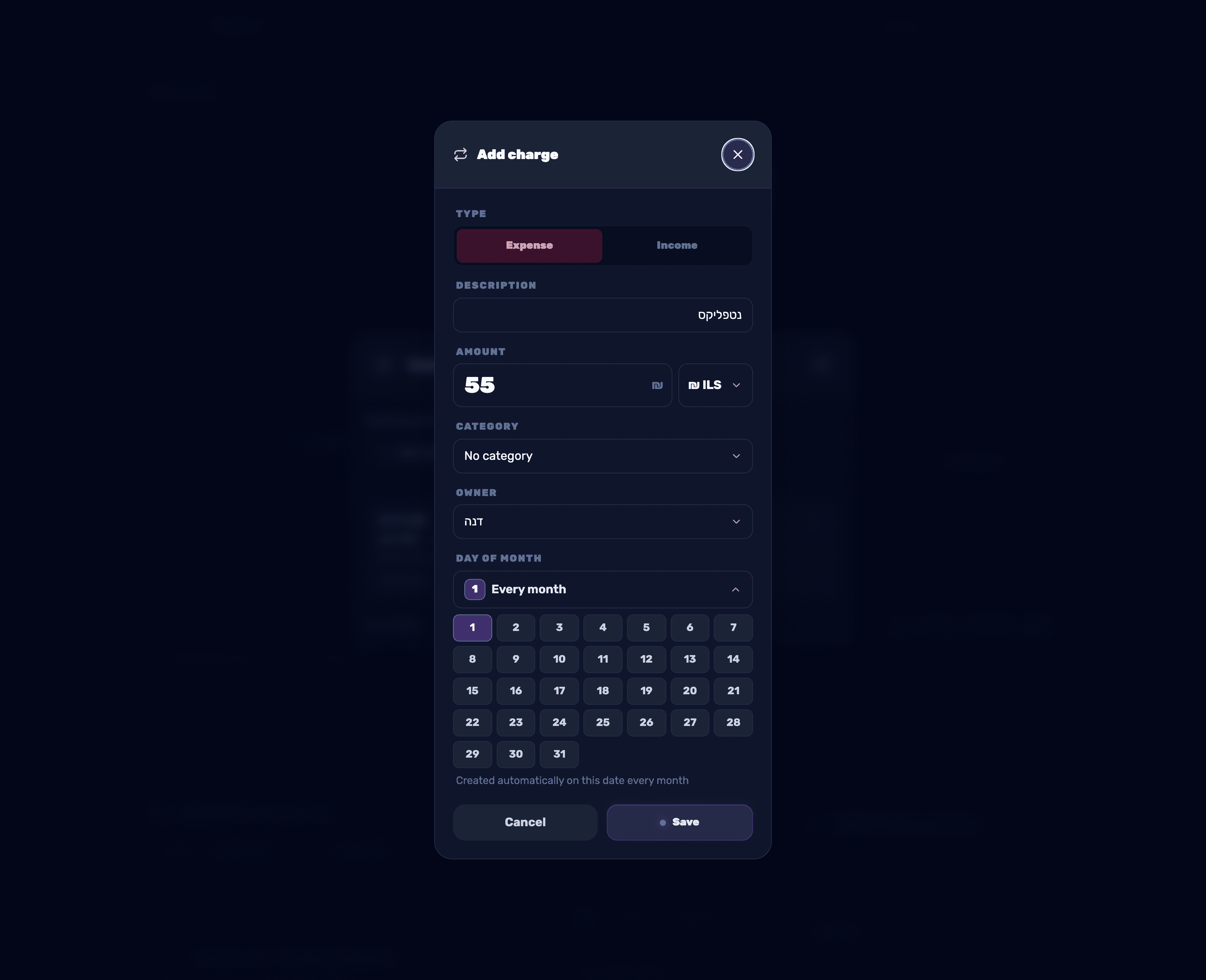
If you have a standing order that hasn't been detected yet, tap Add subscription and fill in Type, Description, Amount, Currency, Category, Belongs to and Day of month — the transaction will be created automatically on that date every month. You can pause, resume, edit or delete it at any time.
- 5
See the annual summary in Reports
In the Reports tab, under the More reports heading, click the Subscriptions — yearly summary card to see all your subscriptions and standing orders together with the total yearly cost, and spot dormant ones worth cancelling.